Permissions and privacy
No data leaves your device. AuthTailor has no server, no account, no analytics, no telemetry, no ads and no third-party code. The About tab shows all of this in the panel too.
- Tab
- About
- Server
- none
- Stored
- language and the “Headers” option
- Host access
- optional, only while recording
Permissions
The About tab lists every permission with its purpose and shows whether the optional host permission is currently granted.
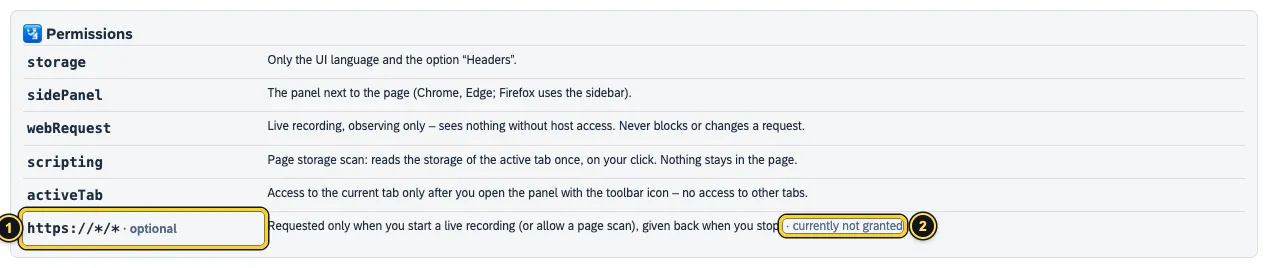
https://*/*is optional – AuthTailor only asks for it when you need it.- Whether it is currently granted or currently not granted.
| Permission | What for |
|---|---|
storage | Only the UI language and the option “Headers”. |
sidePanel | The panel next to the page (Chrome, Edge; Firefox uses the sidebar). |
webRequest | Live recording, observing only – sees nothing without host access. Never blocks or changes a request. |
scripting | Page storage scan: reads the storage of the active tab once, on your click. Nothing stays in the page. |
activeTab | Access to the current tab only after you open the panel with the toolbar icon – no access to other tabs. |
https://*/* (optional) | Requested only when you start a live recording (or allow a page scan), given back when you stop. |
What AuthTailor processes, and where
- Live recording (only after Record live): URL, method, form parameters of login POSTs (e.g.
SAMLResponse) and, if the Headers option is on, request and response headers. With Also bearer tokens also JWTs in the Authorization header of API calls. Recording stops on its own after 30 minutes. - Pasted or dropped content: SAML messages, JWTs, URLs, HAR files, error messages, certificates, keys, SAP service keys, destinations or configuration files.
- Page storage (only after clicking Scan this page): only the kind, length and harmless claims of a token reach the panel – never a value.
- The analysis runs entirely in the panel on your device. Recordings and pasted content stay in memory only while the panel is open and are never written to disk.
Masking
AuthTailor masks secrets as they are recorded: cookie values, Authorization values, CSRF tokens, API keys, session headers, client secrets and passwords. Long cookie values are kept only as a short fingerprint, so that the tracer can tell whether a session cookie was renewed; refresh tokens only as a short hash, so that it can tell whether they are rotated. Bearer JWTs and DPoP proofs stay unmasked only with the Also bearer tokens option, because the check needs them.
The one request on your behalf
If you click Load keys from …, the panel fetches that token issuer’s public discovery and public keys (JWKS) with a plain GET, without cookies and without a Referer. Nothing from your input is sent; the issuer only sees that its public keys were fetched, and from which IP address. Without that click AuthTailor makes no request.
The About tab
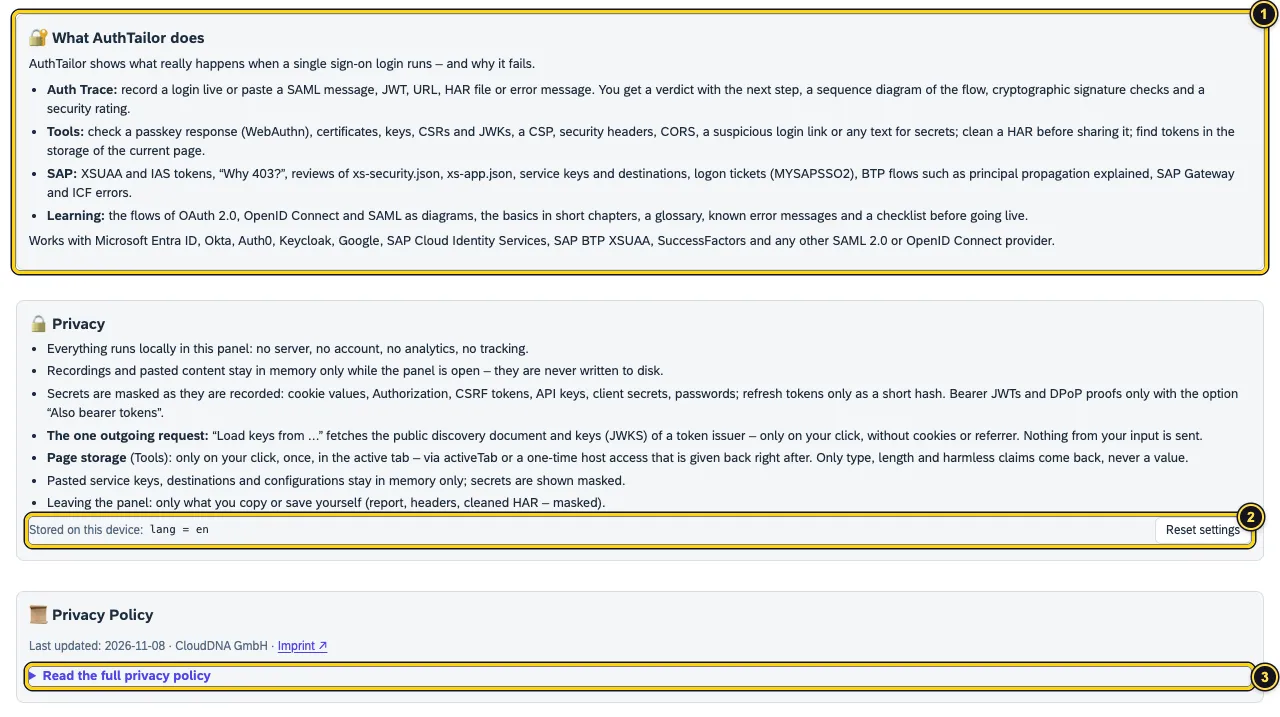
- What AuthTailor does – the four tabs in brief.
- Stored on this device shows the stored settings. Reset settings deletes them.
- Read the full privacy policy opens the policy in the panel – in the same wording as on this website.
Only the UI language and the Headers option are stored, plus, for the browser session, a flag whether AuthTailor asked for the host permission itself – so that it can give it back. Uninstalling removes everything.
What leaves the panel
Only what you copy or save yourself – with Copy report, Copy headers (masked) or Save cleaned HAR. Report and HAR contain masked values only. Links under About open in a new tab without a Referer.
See also
- Features at a glance Features · About
- Security Security and permissions
- Docs Live capture
- Docs Troubleshooting
- Sources No server1 · Permissions2 · Masking3 · The one request4