Tools
Around the login there is more to check than tokens. The Tools tab has three sections: Check, Clean HAR and Page storage.
- Tab
- Tools
- Sections
- Check, Clean HAR, Page storage
- Examples
- four, with made-up data
- Network
- none
Check
Paste one thing and get it checked: a passkey response (WebAuthn), certificates, keys, CSRs or a JWK, a CSP, the response headers of a login page, a CORS preflight, a suspicious login link – or any text, which is scanned for secrets.
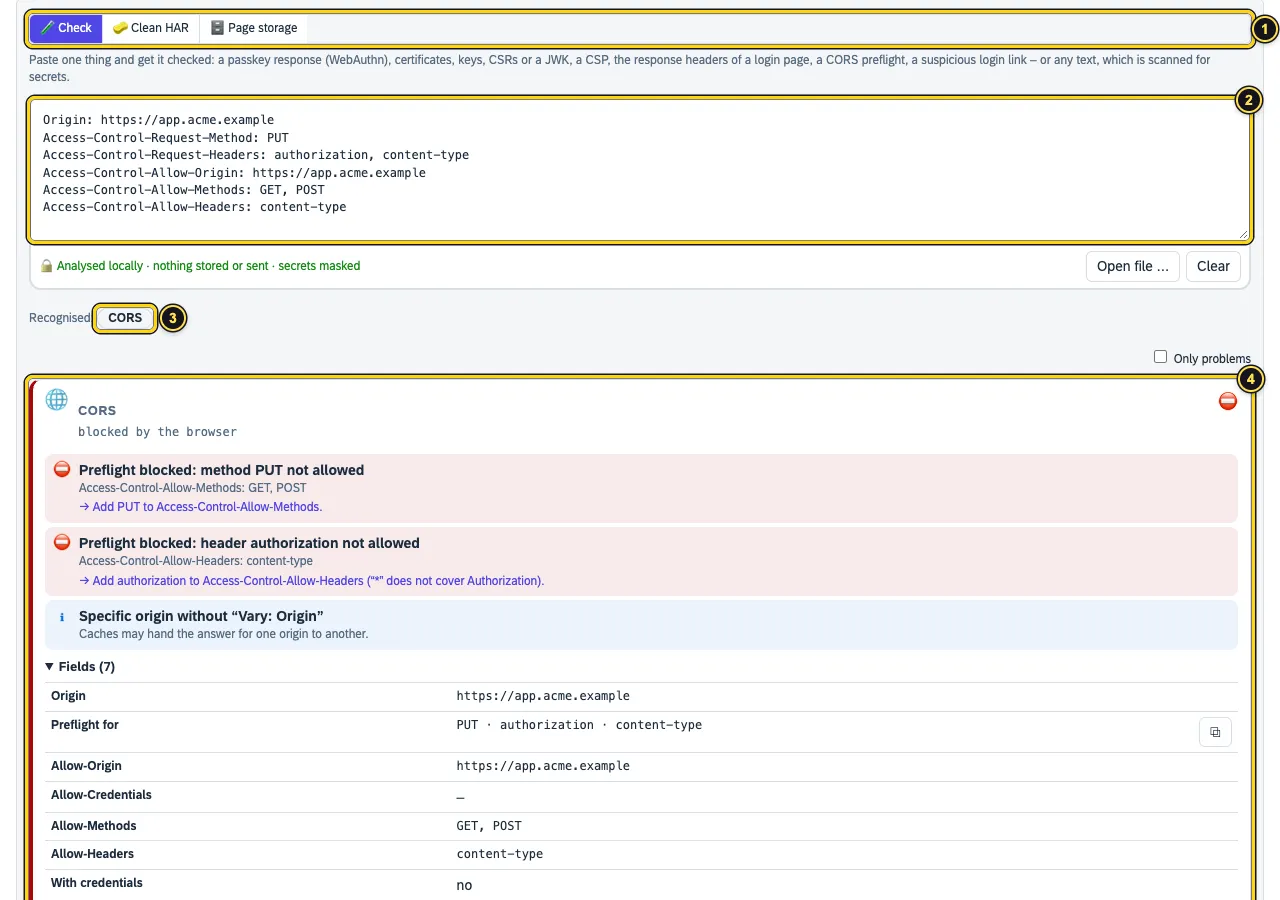
- The three sections: Check, Clean HAR, Page storage.
- The field takes text or a file (
.txt,.json,.pem,.crt,.cer,.csr,.key,.har,.properties). - Recognised: what AuthTailor found – here CORS.
- The card with findings and fixes. Here
PUTandauthorizationare missing from the allowed methods and headers.
| Input | What AuthTailor checks |
|---|---|
| Passkey / WebAuthn | flags, authenticator, synced or device-bound, origin, RP ID, challenge |
| Certificate, key or CSR | certificates, chains, CSRs, keys, JWK and JWKS: order, expiry, key size, SHA-1, host name and whether key and certificate belong together |
| Content Security Policy | weaknesses such as unsafe-inline or whole CDNs, with a stricter suggestion |
| Security headers | response headers of a login page, such as HSTS, frame protection and CSP |
| CORS | preflight and response headers |
| Link | look-alike and punycode hosts, open redirects |
| Text (secret scan) | secrets in any text |
The example tiles Weak CSP, Blocked CORS preflight, Suspicious login link and Passkey login show what a result looks like. AuthTailor sends a HAR to Auth Trace and SAP artefacts to SAP.
Passkey responses
AuthTailor takes a WebAuthn response (from the DevTools or a log) apart. Under Expected values you enter what your relying party expects.
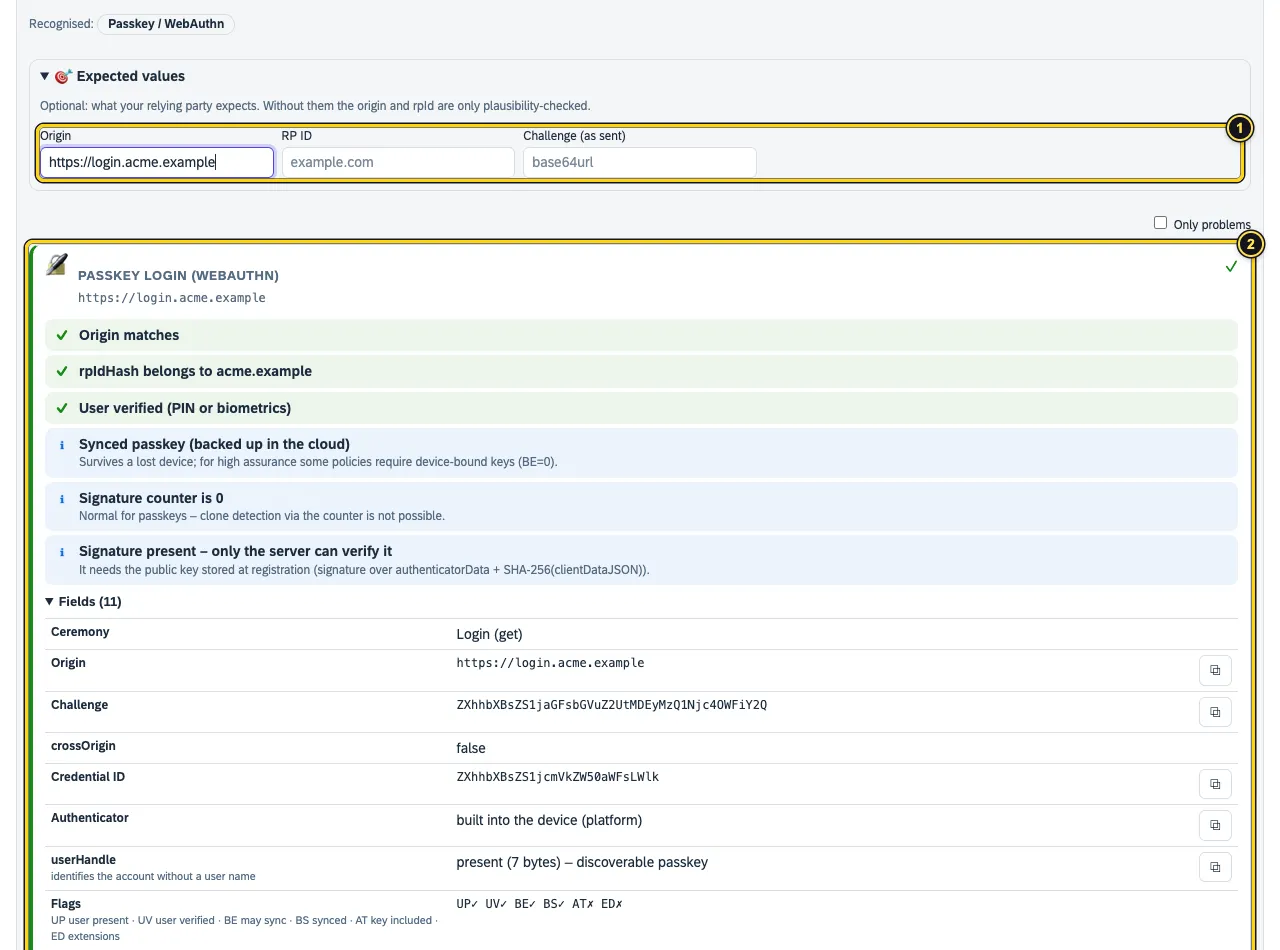
- Origin, RP ID and Challenge (as sent). Without them AuthTailor only checks origin and RP ID for plausibility.
- The card with checks – origin, rpIdHash, user verified, synced passkey, signature counter – and the fields including the flags.
Clean HAR
Before a HAR goes to support or into a ticket: AuthTailor masks cookies, Authorization and session headers, codes, tokens, passwords and secret parameters. JWTs stay readable but lose their signature. Everything happens locally.
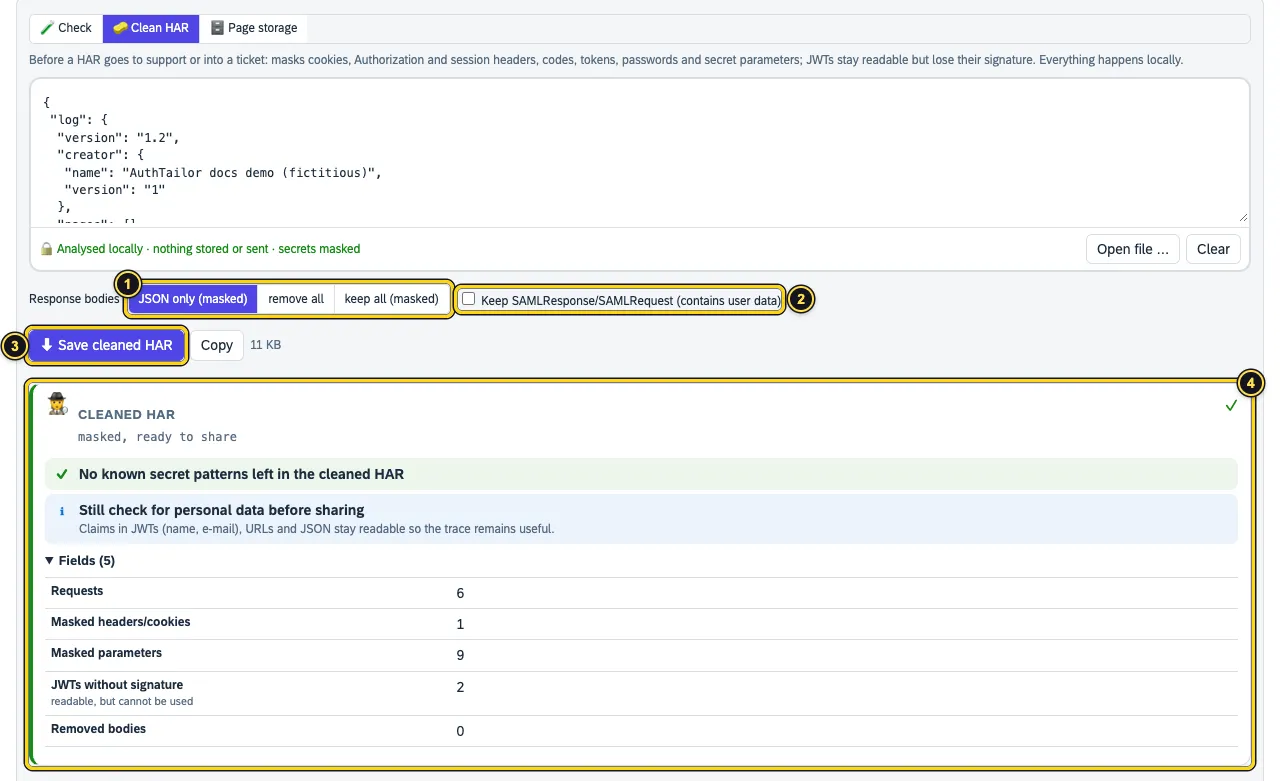
- Response bodies: JSON only (masked), remove all or keep all (masked).
- Keep SAMLResponse/SAMLRequest (contains user data) – only tick this if support really needs the SAML message.
- Save cleaned HAR downloads the file as
.sanitized.har, Copy puts it on the clipboard. - The card counts what was masked and scans the result once more for known secret patterns.
Page storage
Many single-page apps keep tokens in the browser. Page storage scans the storage of the active tab: localStorage, sessionStorage, IndexedDB and cookies readable by JavaScript.
- Open the app in the tab and log in.
- On that tab, open the panel with the icon in the toolbar.
- In Tools → Page storage, click Scan this page.
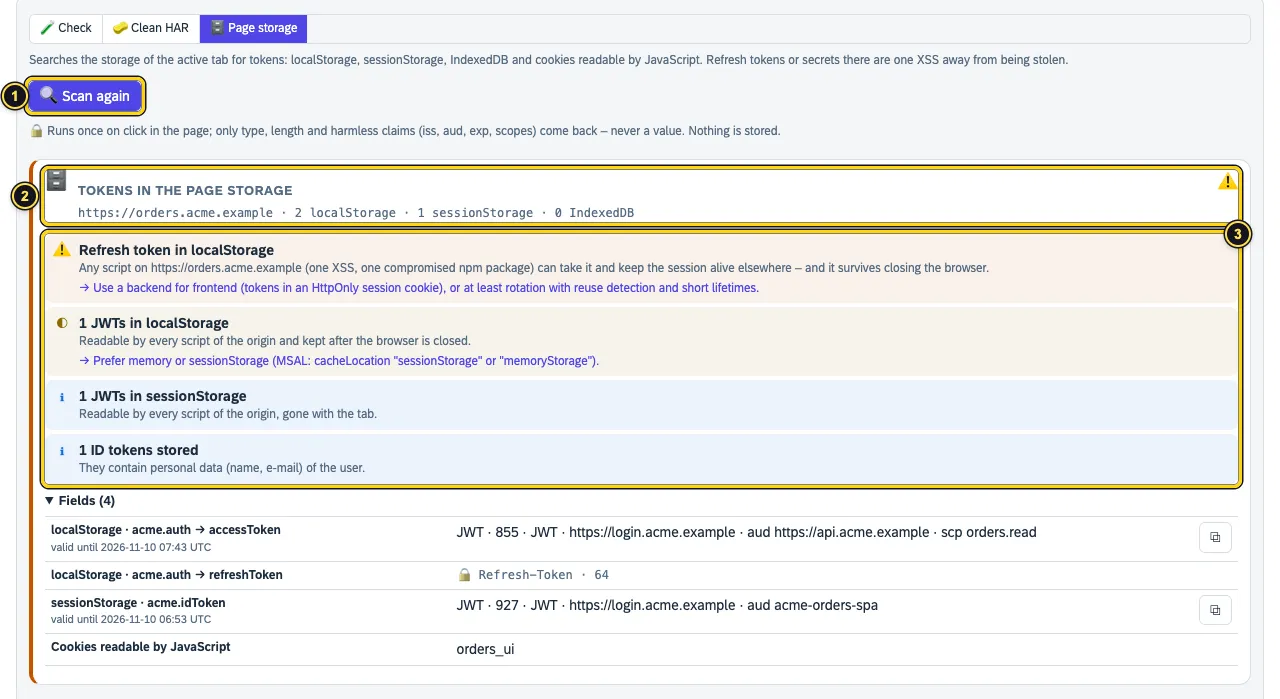
- Scan this page – after the first time Scan again.
- The origin and how many entries were found in which storage.
- The findings: here a refresh token in localStorage – one XSS away from being stolen –, JWTs in localStorage and sessionStorage and stored ID tokens.
The scan runs once in the page, on your click. Only type, length and harmless claims (iss, aud, exp, scopes) come back – never a value. Nothing is stored.
If you did not open the panel with the icon on that tab, the button reads Allow access and scan. Access is returned right after the scan. AuthTailor cannot scan browser pages or the extension store.
See also
- Features at a glance Features · Tools
- Security Security and permissions
- Docs Paste and examples
- Docs SAP
- Docs Permissions and privacy
- Sources Check1 · Clean HAR2 · Page storage3