Tokens and SAML
Every recognised message gets a card in the result. Instead of Base64 and XML you see who issued what for whom, whether the signature is valid and how long it lasts.
- Cards
- one per message
- JWT signature
- with the issuer’s keys
- SAML signature
- RSA, RSA-PSS, ECDSA, SHA-1 to SHA-512
- Network
- only the GET for the keys, on click
The card of a JWT
The pictures show the access token of the made-up app “Acme Orders”. At the top of the card are the kind, issuer, audience and user, below them the Token anatomy.
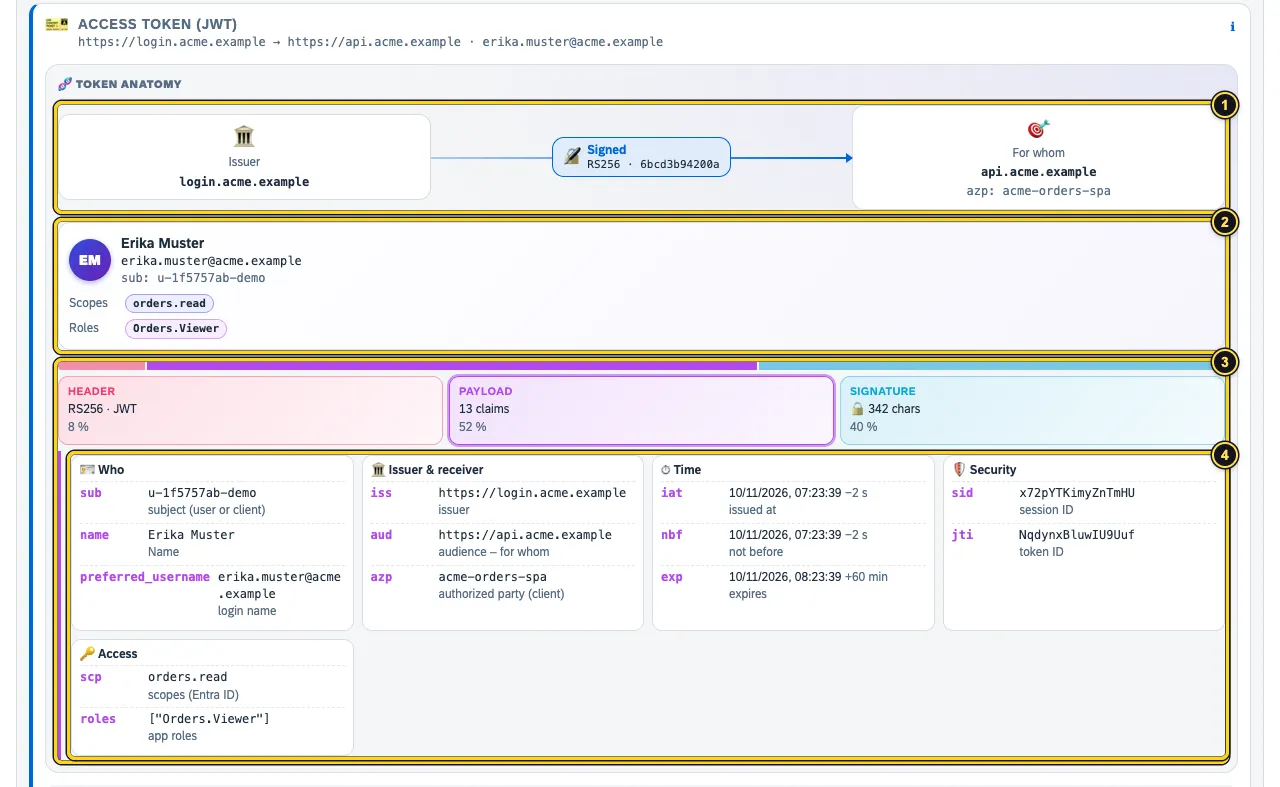
- Chain of trust: Issuer → seal with algorithm and key ID → For whom (audience and authorised client).
- The ID card: who is logged in, with Scopes and Roles.
- The bar shows how large Header, Payload and Signature are. The signature itself is hidden on purpose – it is what makes the token usable.
- The claims in groups – Who, Issuer & receiver, Time, Security, Access – each with a short explanation. Times are shown relative to now.
Below the anatomy follow the card’s Checks, the Fields and Decoded with the raw content. Values such as signatures and secrets are masked there.
Check the signature
Without keys the seal only shows Signed. With Load keys from … AuthTailor fetches the issuer’s public keys once (discovery → jwks_uri). Only this GET goes out – nothing from your input.
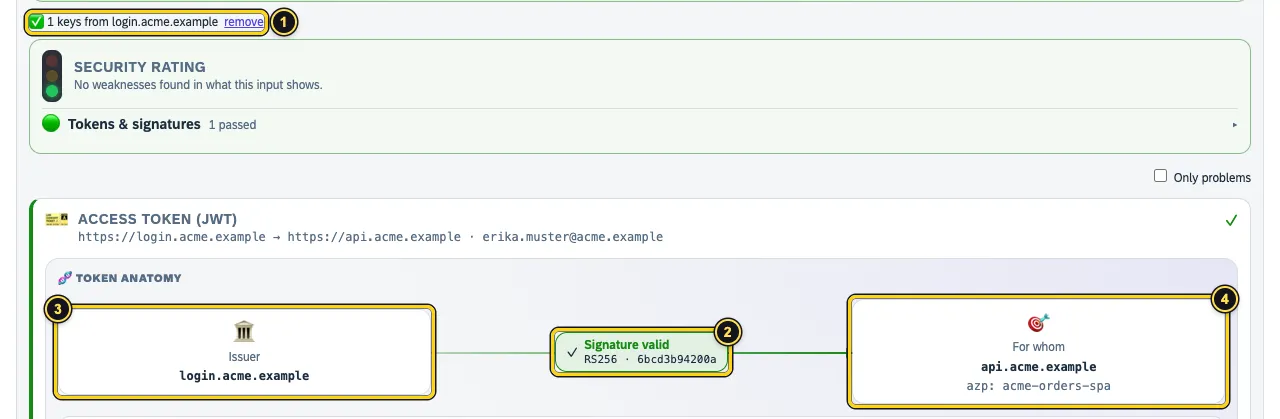
- How many keys from which host are loaded. remove forgets them again.
- The seal: Signature valid, Signature invalid or Key missing in the JWKS – the last often points to a key rollover.
- The issuer (
iss). - The audience (
aud) and the authorised client (azp).
If the JWKS is already in the input – in a HAR, for example – AuthTailor checks without loading. Other seals: Unsigned (alg none), Shared secret (HMAC) and Encrypted.
Validity

- The countdown: expires in …, expired … ago or valid in …, plus the lifetime.
- The marker for now on the axis from issued (
iat) through valid from (nbf) to valid until (exp).
The Clock tolerance from the expected values applies here too: a token that only becomes valid in 30 seconds is fine with a tolerance of 2 minutes. For a recording, AuthTailor measures the times at the moment of the request.
A SAML flow
For SAML the flow shows the way from the AuthnRequest to the identity provider up to the response to the app’s ACS URL. The picture shows a recording of the made-up “Acme Portal” with the IdP idp.acme.example.
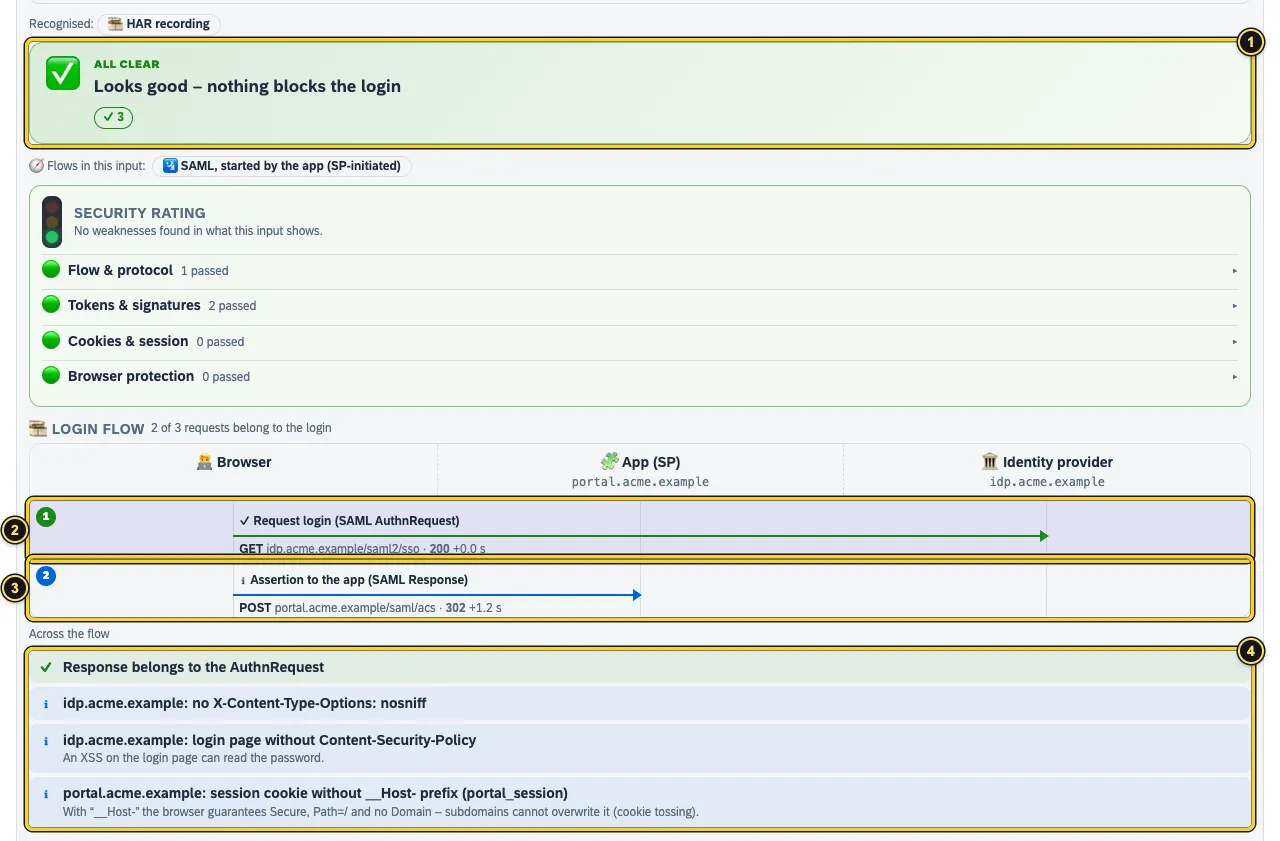
- The verdict – here All clear.
- Step 1: Request login (SAML AuthnRequest) by redirect to the IdP.
- Step 2: Assertion to the app (SAML Response) by POST to the ACS URL.
- Across the flow – for example Response belongs to the AuthnRequest:
InResponseTomatches the request’s ID.
The card of a SAML Response
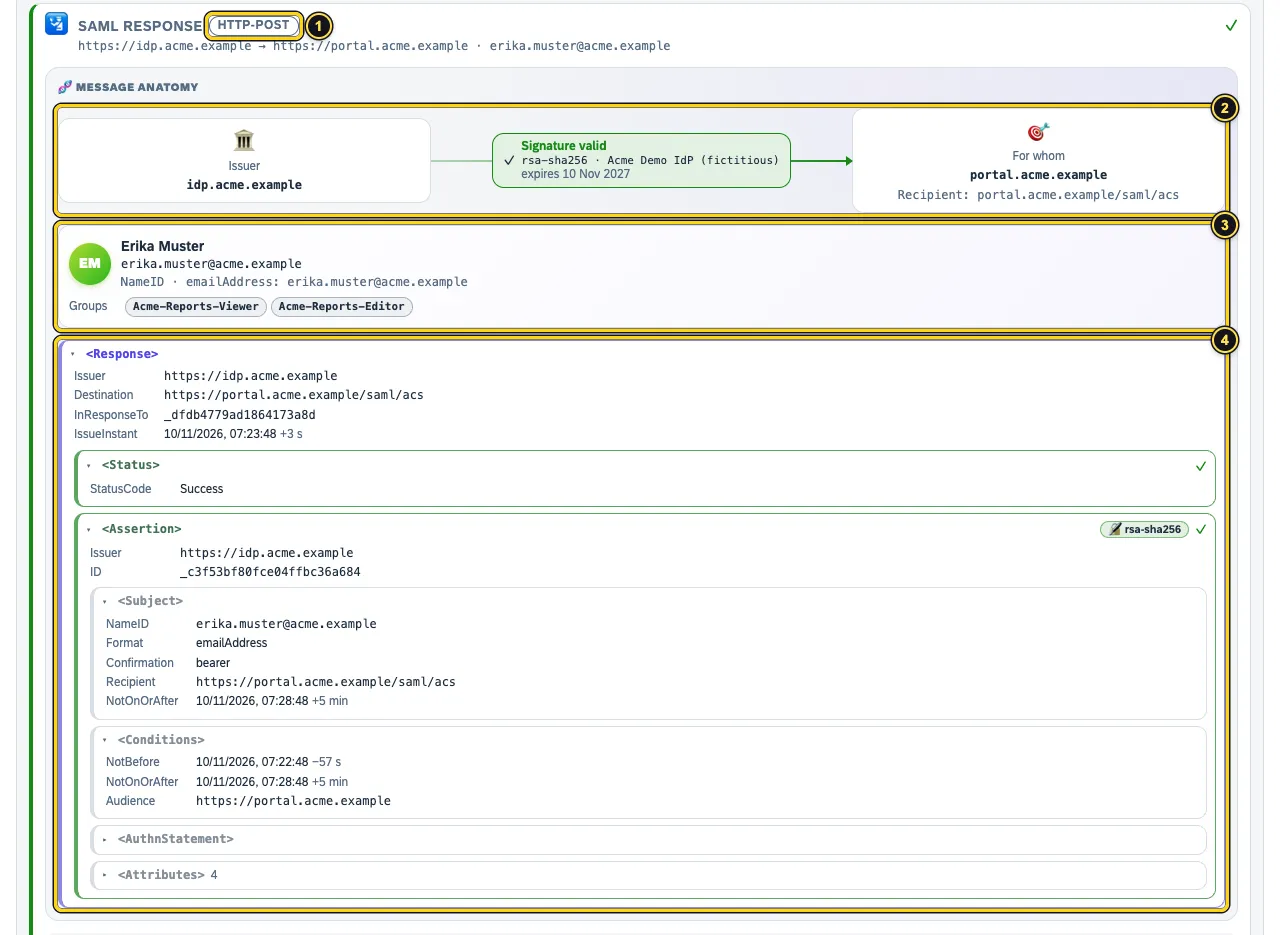
- The binding the message came by – here HTTP-POST.
- The Chain of trust: issuer, seal with algorithm and certificate, receiver with Recipient.
- The ID card with NameID and Groups from the attributes.
- The building blocks nested as in the XML:
<Response>,<Status>,<Assertion>with<Subject>,<Conditions>,<AuthnStatement>and<Attribute>. A tick means checked and fine; signed blocks carry a seal.
AuthTailor checks the signature cryptographically with the certificate from the message, using its own XML canonicalisation (exclusive and inclusive). It recognises attack patterns such as signature wrapping, duplicate IDs, comments in the NameID, DTDs and transforms. DTDs are never resolved, transforms never executed.
Certificates

- The certificate with name, self-signed, key type and length, signature algorithm, subject and expiry date.
- The SHA-256 fingerprint. Compare it with the one from your IdP’s metadata – or enter that one in the expected values and AuthTailor compares for you.
AuthTailor also warns about certificates that will expire soon.
See also
- Features at a glance Features · Auth Trace
- Docs Reading the result
- Docs Paste and examples
- Docs Learning
- Sources Anatomy1 · Signature check2 · Attack patterns3 · Loading keys4