Live capture
The quickest way to a finding: click Record live, log in in the tab next to it, Stop. AuthTailor records only the login requests and masks secrets as it goes.
- Tab
- Auth Trace
- Duration
- 30 minutes at most
- Size
- up to 300 requests
- Permission
- host access only while recording
Start a recording
The box Record live in the browser sits at the top of Auth Trace. No upload: start, then log in in any tab – only SAML, OAuth and OIDC requests are recorded.

- Record live starts the recording.
- Also bearer tokens – JWTs from the Authorization header of API calls, e.g. to see why an API answers 401. Off whenever the panel opens.
- Headers – request and response headers of the login steps, masked. On by default; the panel remembers your choice.
- Choose the options. They cannot be changed while recording.
- Click Record live. The first time, allow access to all https sites.
- Trigger the login in the tab next to it – open the app, click Sign in, log in at the identity provider.
- Wait until the app is signed in, then click Stop in the panel.
If you refuse the access, the panel says “Without the permission the browser cannot record – paste or drop a HAR instead.” The HAR route is described in Paste and examples.
While recording
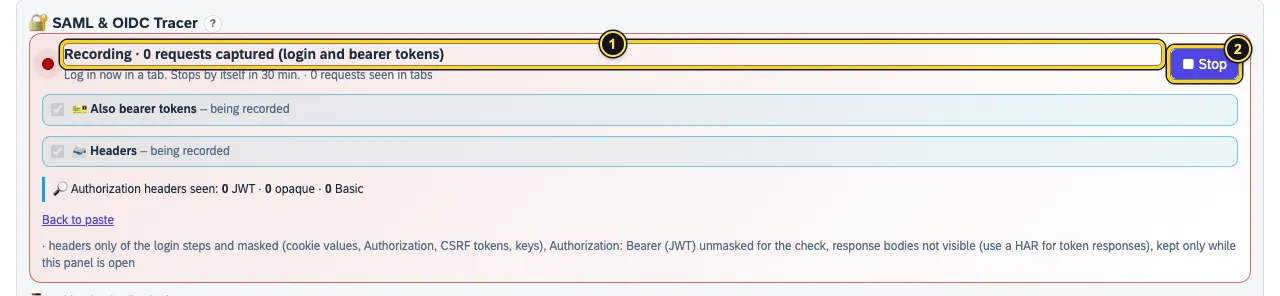
- Recording keeps count – without bearer tokens the login requests, with the option as here all captured requests. Below: “Log in now in a tab. Stops by itself in 30 min.” and how many requests the browser has seen in tabs in total.
- Stop ends the recording.
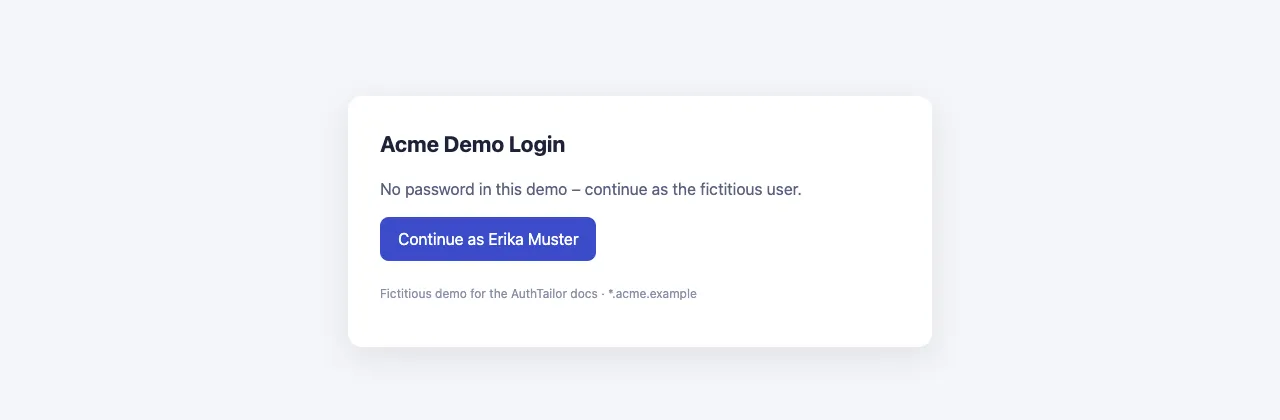
You log in as usual in a tab. The images of these docs show a made-up app “Acme Orders” with the identity provider login.acme.example:
As soon as login requests arrive, the result appears while recording and grows:
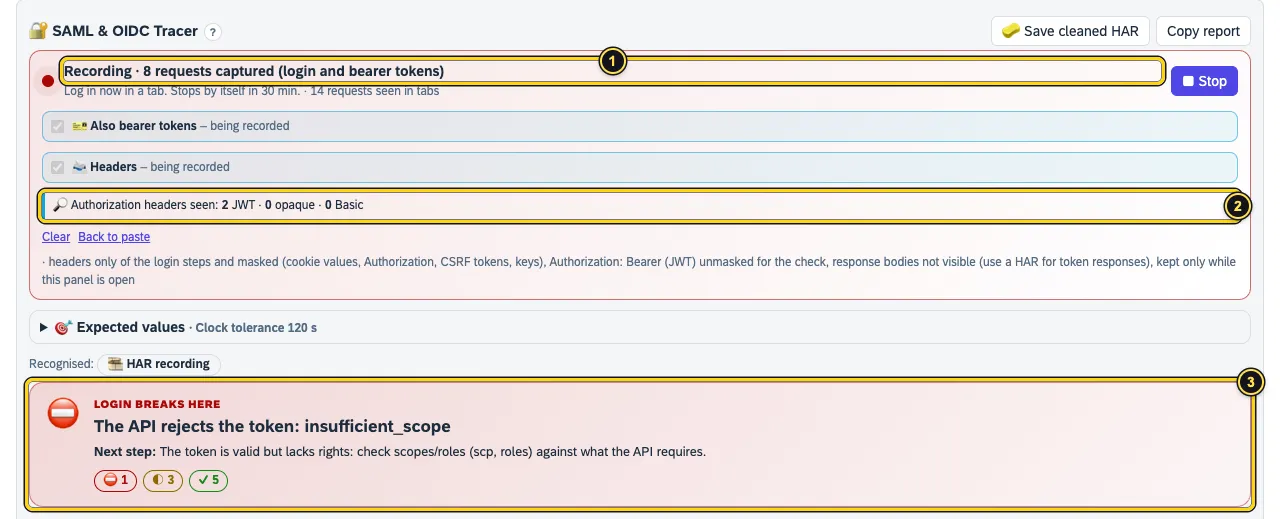
- With Also bearer tokens the line counts requests captured (login and bearer tokens).
- Authorization headers seen: how many were JWTs, opaque tokens or Basic. AuthTailor only takes JWTs.
- The verdict is already there – here the API rejects the token with
insufficient_scope.
After stopping
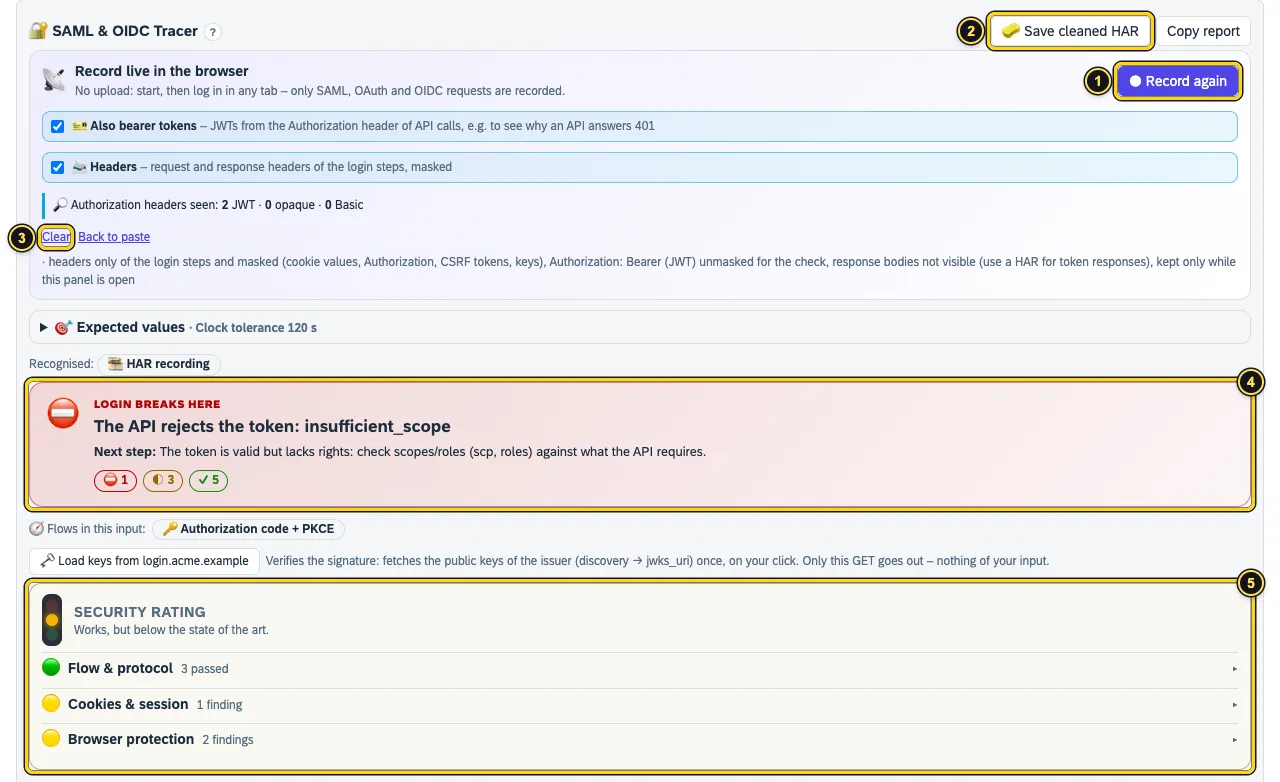
- Record again starts a new recording and replaces the old one.
- Save cleaned HAR saves the recording masked as
authtrace-live.sanitized.har; next to it Copy report copies verdict, rating, flows, findings and steps as Markdown. - Clear discards the recording, Back to paste shows the paste field again. Behind them: what the recording contains and what not.
- The verdict – how to read it is described in Reading the result.
- The Security rating as a traffic light per area.
What is recorded
| Recorded | Not recorded |
|---|---|
| SAML in URL or form (SAMLRequest, SAMLResponse, RelayState) | Response bodies – use a HAR for token responses |
| OAuth and OIDC parameters (code, state, nonce, PKCE, redirect_uri, errors) | Requests that are not part of the login (images, scripts, app data) |
| Token, discovery and JWKS calls, logouts | Basic credentials and opaque tokens |
With Headers: request and response headers of these steps, masked; without the option only Location | Cookie values, passwords, client secrets (masked) |
With Also bearer tokens: Authorization: Bearer with a JWT, the response’s WWW-Authenticate, DPoP proofs | Refresh tokens in clear – only a short hash, so rotation stays visible |
Everything stays in the panel’s memory while it is open. Close the panel and the recording is gone. More in Permissions and privacy.
Limits
- A recording ends by itself after 30 minutes and holds up to 300 requests.
- Server-to-server flows (client credentials, SAML bearer, on-behalf-of) are invisible to the browser. Paste the token request or the token instead.
- Token responses carry their content in the response body. The recording does not read it – but with Also bearer tokens you see the tokens in the API calls, or you export a HAR.
See also
- Features at a glance Features · Auth Trace
- Security Security and permissions
- Docs Reading the result
- Docs Permissions and privacy
- Docs Troubleshooting
- Sources Live capture1 · Masking2 · Bearer tokens3